

Simpler language
More direct sentences, controlled vocabulary and explanations of essential terms.

MINERVA FOR INCLUSIVE LEARNING
Configure language, readability, level of guidance, practical examples and comprehension checks. Minerva applies these preferences to explanations and materials without requiring you to start again each time.

The teacher retains the subject content and specifies how it should be presented. Minerva creates a version suited to the student’s learning path, ready to be reviewed and edited before use.

It takes a few seconds, and you can pause it at any time.
Original content
Photosynthesis is a fundamental process that allows plants to convert solar energy into chemical energy, producing their own food and releasing oxygen.
Adapted content
It is like a kitchen: light is the cooker, water and air are the ingredients.
What does the plant release at the end of the process?
Original content
Language, readability, guidance, examples and comprehension checks are applied together.
Adjust each control to the most appropriate level. Adaptation can therefore follow a specific need without automatically applying the same pattern to every student.
More direct sentences, controlled vocabulary and explanations of essential terms.
Content organised into shorter blocks, with clearer visual separation between ideas.
Activities divided into smaller, clearly numbered stages.
Concepts connected to familiar situations and everyday applications.
Short questions placed at useful points to check understanding.
ADAPT AFTERWARDS TOO
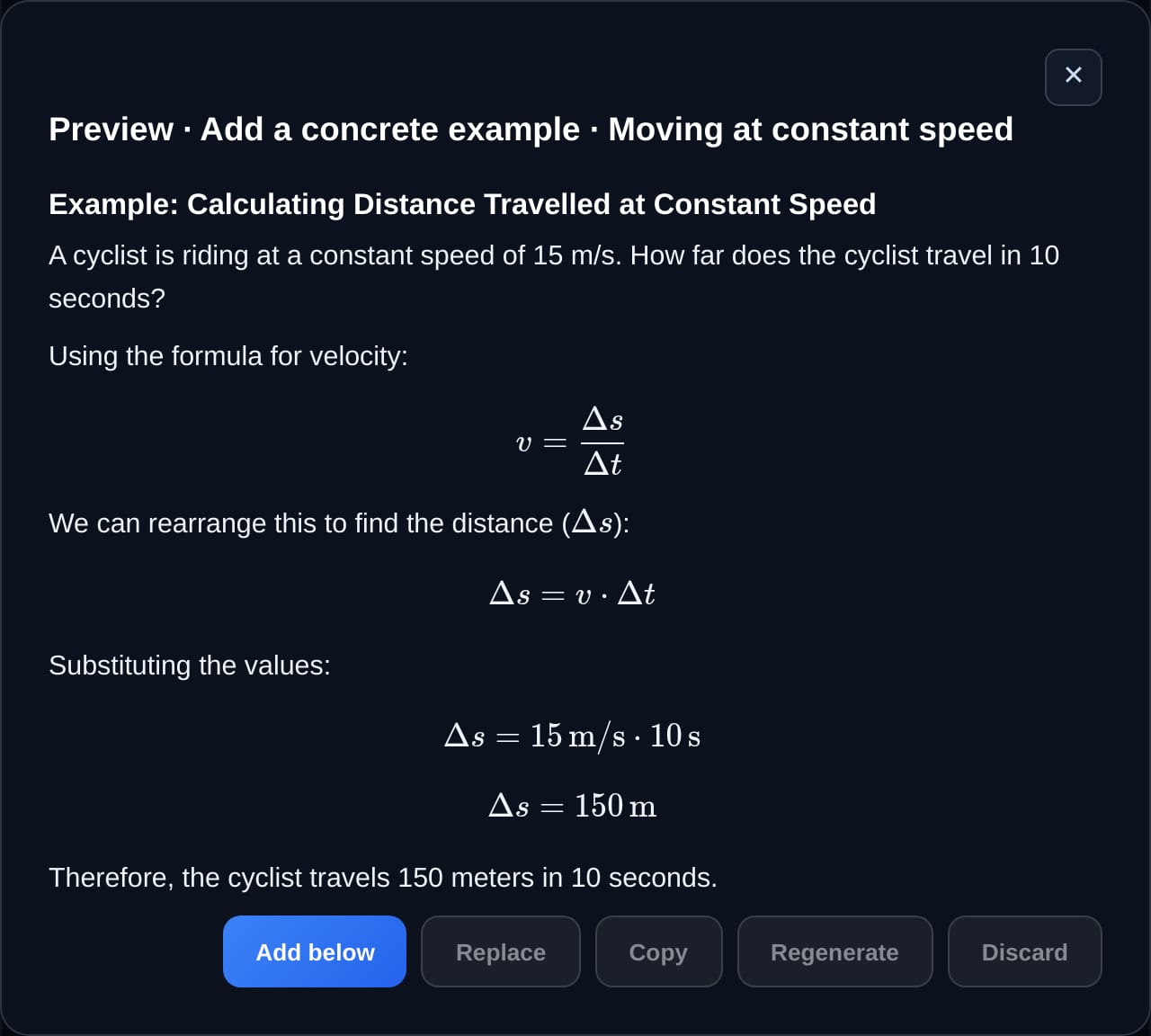
Understand better lets you revisit an explanation or lesson that has already been prepared and make it simpler, more guided or better suited to the student's needs. Add a practical example, an analogy, prerequisites, common mistakes or short comprehension questions, while reviewing every result in preview.
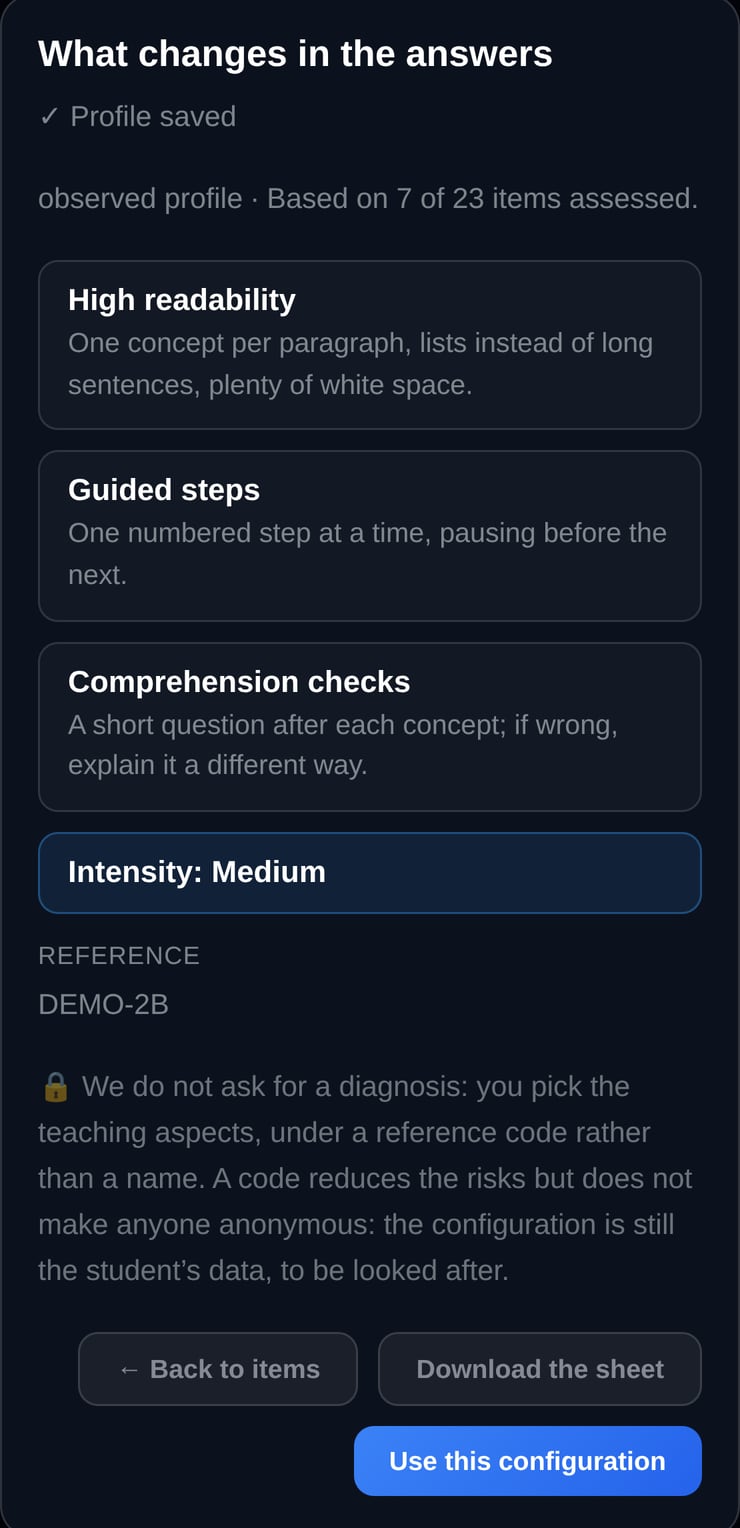
Settings can be associated with a code chosen by the teacher. A student’s name or diagnosis does not need to be stored in order to apply the adaptations.
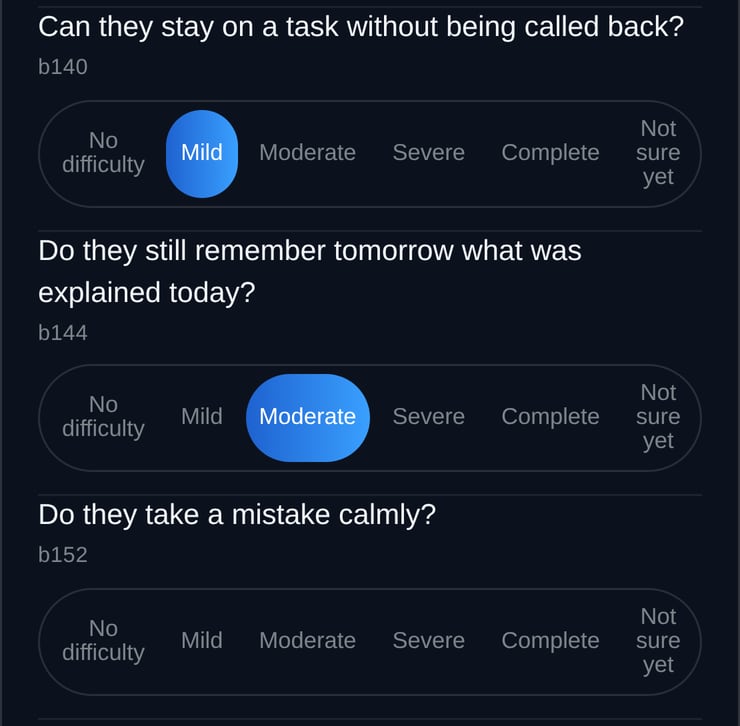
Guided observation helps teachers collect relevant information in an orderly way. The ICF-inspired profile describes functioning and the educational context through observable aspects. Settings remain associated with the code chosen by the teacher, can be reopened and updated, and do not constitute a diagnosis or replace the official Functioning Profile.
Tools inspired by the ICF framework help describe functioning and the educational context. They do not provide a diagnosis or replace assessment by qualified professionals.
ICF PROFILE
Teachers can describe a student’s needs, what helps them and how they work best through a profile structured around the ICF. Minerva uses this to adapt language, steps, examples and checks, without turning the profile into a diagnosis or a test.
The tools for adaptation are part of the version for teachers: they are not bought separately and do not have a plan of their own.
FREQUENTLY ASKED QUESTIONS
No. Preferences can be configured around learning needs and associated with a code chosen by the teacher. A student’s name or diagnosis does not need to be stored in order to apply the adaptations.
Minerva helps prepare explanations, activities and materials. The teacher remains in control of educational decisions, reviews the content and decides what should be used in the classroom.
No artificial intelligence model can guarantee that every answer will be correct. That is why Minerva lets you turn on independent verification: before the answer is shown to you, a second model checks it again and corrects it if it finds a mistake. Two models working independently rarely go wrong in the same place, so the chance of an error drops drastically. For truly important information, a final check of your own is still good practice.
Yes. You can upload notes, PDFs, images and other compatible documents and ask Minerva to use them while you study or prepare a lesson.
Set the learning preferences and use them to prepare explanations and materials that remain consistent with the student’s learning path.


